|
<< Click to Display Table of Contents >> Last Drink Search |
  
|
|
<< Click to Display Table of Contents >> Last Drink Search |
|
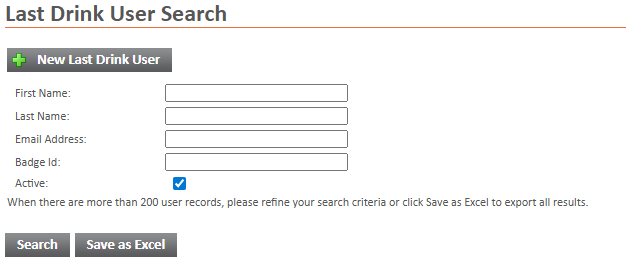
The Last Drink User search allows for the creation of a user for last drink and searching for existing last drink users.
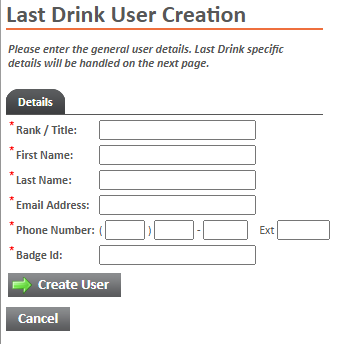
The New Last Drink User button will create a popup window for creating a new police user for the last drink site.
• |
All fields are mandatory on this page. |
• |
You will still need to set up the last drink token and other settings after pressing create user. |
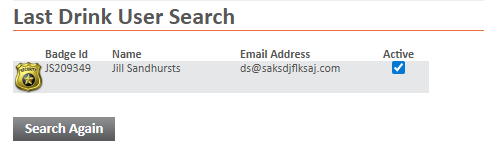
The Search will return a list of users and their tokens.
• |
The Badge Id refers to the badge number of a given officer. |
• |
The Name is just the first and last name of the given officer. |
• |
The Email Address refers to the badge number of a given officer. |
• |
The Active checkbox shows if the last drink user is an active user. This can only be checked by NJABC administrative staff. |
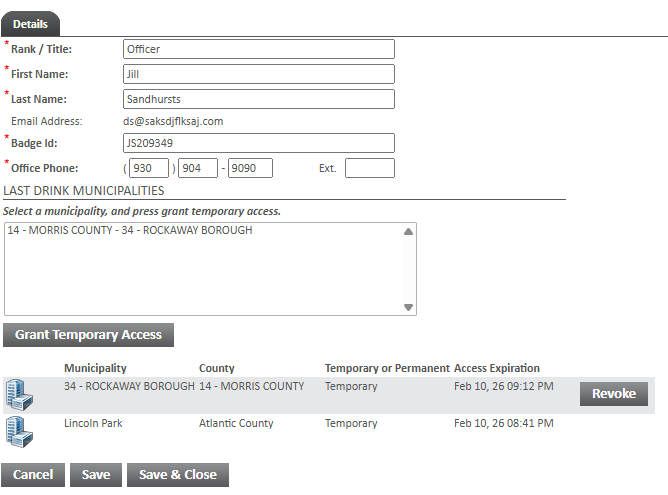
The Last Drink User popup allows for the editing of existing police users.
• |
The Active checkbox shows if the last drink user is an active user. This can only be checked by NJABC administrative staff. |
• |
The Grant Temporary Access button will add the police users municipality (from their profile) and give the selected user temporary access. You must select a municipality in the mulit select above the button. You may control click or shift click to select multiple municipalities. |
• |
The expiration will show as red if it is currently expired. You may Grant Temporary Access again to extend the expiration. |
• |
The Revoke button will show on any temporary municipality that you have permanent access to. The button will remove access from the municipality. |