|
<< Click to Display Table of Contents >> CPL Record Search |
  
|
|
<< Click to Display Table of Contents >> CPL Record Search |
|
CPL Record Search
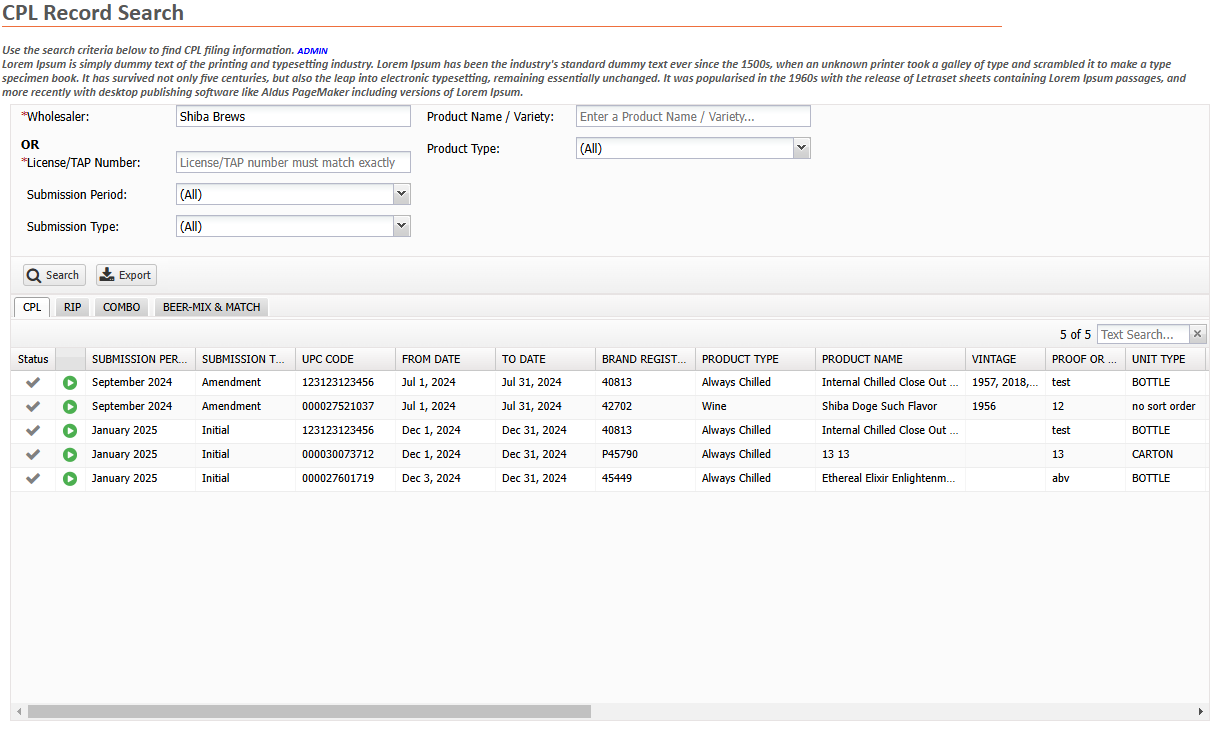
This window is used to search for CPL Records. Search results will be displayed in a grid. By selecting a row in the grid, the user can easily navigate to the CPL Submission.
Record searching may be accomplished using a number of the many criteria available. The different search options are as follows:
• |
Wholesaler narrows the search to only return submissions for the provided wholesaler. |
• |
License/TAP Number narrows the search to only return submissions for the provided License or TAP. |
• |
Submission Period narrows the search to return submissions during the selected period. |
• |
Submissions Type narrows the search to return the selected type. |
• |
Product Name / Variety narrows the search to return submissions for a given name or variety. |
• |
Product Type narrows the search to return submissions for the selected Product Type. |
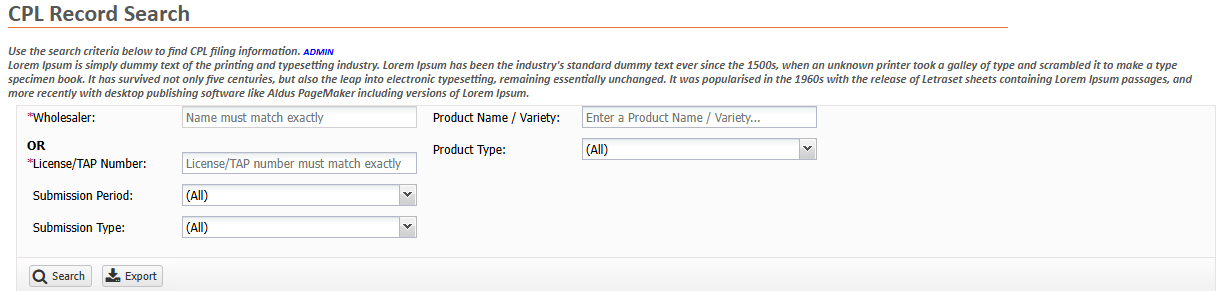
You can change the search criteria at the top of the page and press search to refresh the results.
If your search returns more than the search limit an error will display and you can either refine your criteria to return fewer rows or press  to export the results to Excel.